Guide
·
Sep 14, 2026
Building a Framer portfolio around your case studies
A portfolio should explain what you worked on and what you contributed. Here is how to use Elias Vent's Projects CMS to turn selected work into readable case studies.

Written by

A finished interface tells a prospective client what the work looks like. It leaves other questions open. What did you contribute? What constraints shaped the result? Which parts were yours, and which belonged to the team?
Your portfolio needs room for those answers. Elias Vent is our free Framer portfolio template for product, motion, and brand designers. It pairs an editorial homepage with CMS-driven case studies, so you can introduce your practice and give individual projects enough space.
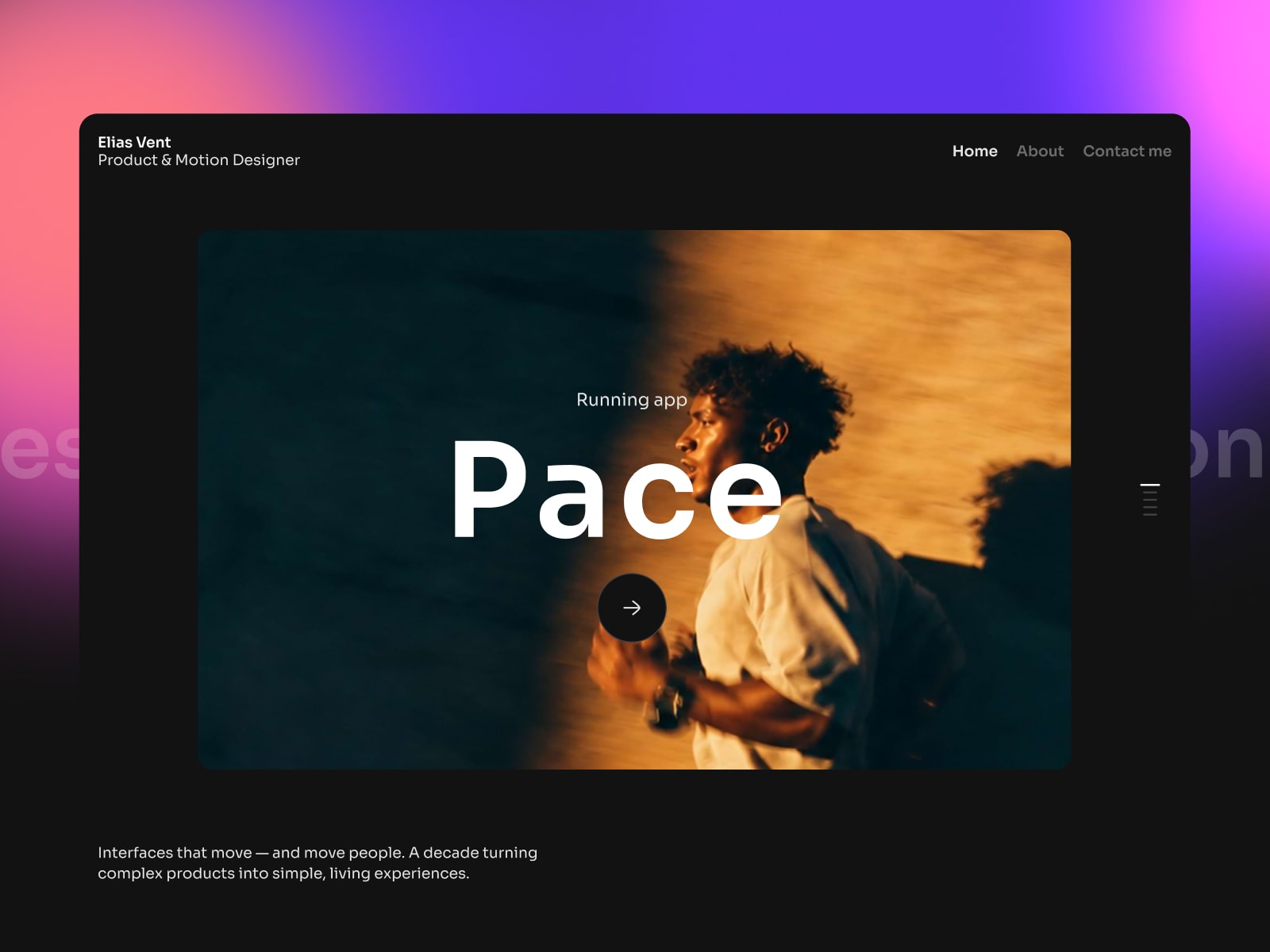
Elias Vent template preview. The brand and content shown are for demonstration.
Write one complete case study first
Before replacing every thumbnail, choose a project that represents the work you want more of. Write a short overview of the brief, your role, the timeline, and the main challenge. Select images that help explain the decisions you made.
Elias Vent’s Projects collection has fields for the title, category, cover, description, role, timeline, year, overview, challenge, and showcase. The template includes five demo case studies so you can see how those fields appear on the page.
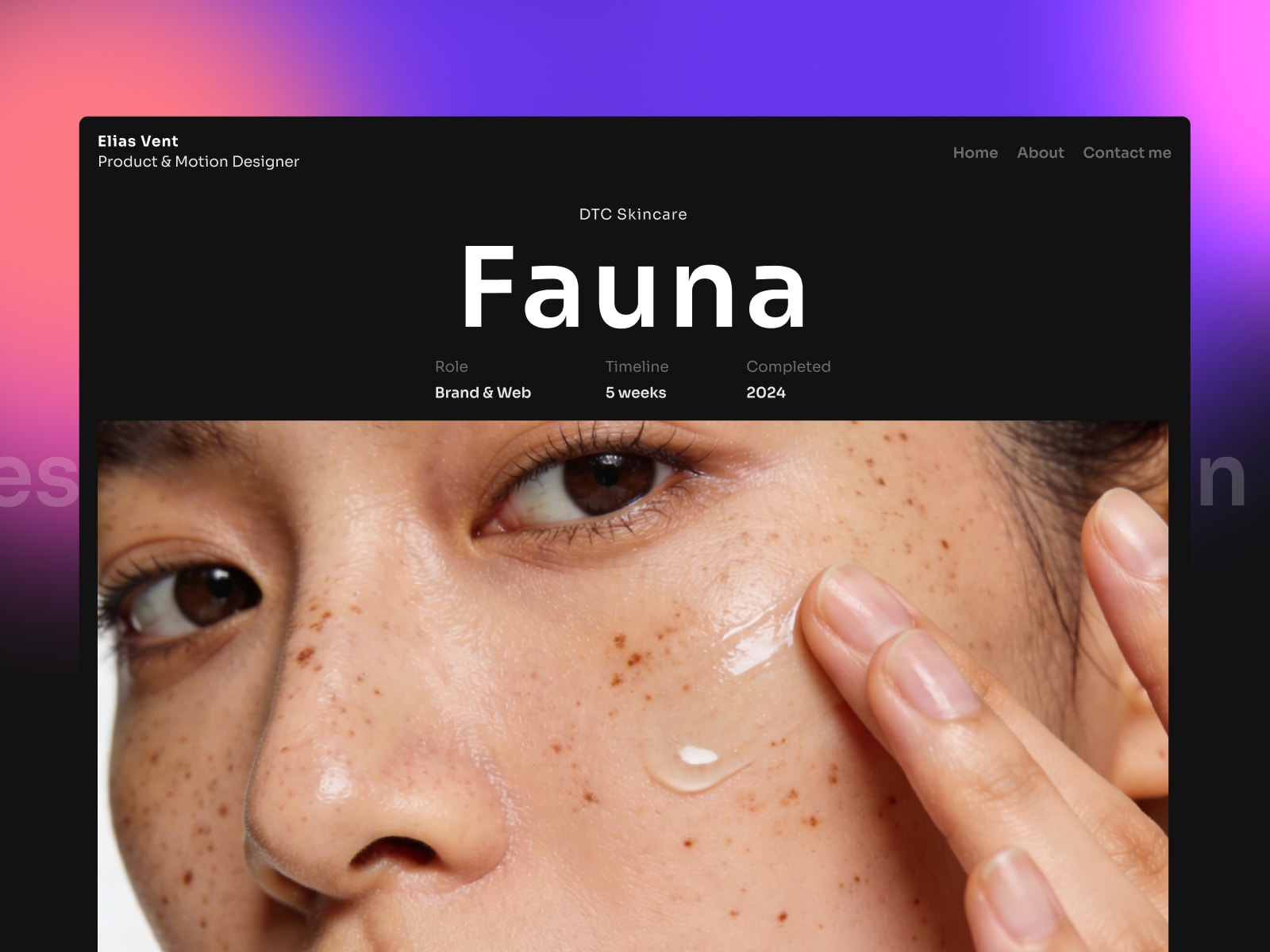
A sample Elias Vent case study, with role and timeline above the project image. The project and credits are demo content.
Treat them as examples of structure. You do not need to match their project count or fill every section with the same amount of text. A small site with complete, relevant work is a reasonable place to start.
Explain the work beside the images
For each image or group of images, decide what the reader should notice. A caption might explain a navigation change, a difficult state, or why an interaction behaves in a particular way. If you show a flow, give enough context to understand where it begins and what someone is trying to do.
Be precise about team projects. Name your contribution and credit collaborators where appropriate. If you have evidence of an outcome, include it with its context. If you do not have permission to share results or client details, describe the work within those limits.
This is an editorial task the template cannot do for you. The CMS gives you a repeatable layout; you supply the project and the explanation.
Use the homepage to introduce your practice
The homepage includes an introduction, about section, principles, services, work gallery, FAQ, and contact area. Use those sections to help someone understand what you do and whether you are available for the kind of project they have.
Keep the service descriptions close to your actual work. A product designer taking on interface projects needs different copy from a motion designer looking for animation commissions. Update the contact details and any statements about availability or response times.
The demo also includes an awards row. Replace sample awards with your own or remove the row. Elias Vent is a demonstration identity, so its biography, clients, and achievements should not survive in your published portfolio by accident.
Make the next update manageable
Each case study uses the shared page layout, with next-project navigation already connected. Once you have adapted one entry, add the rest through the Projects collection and review each published preview. You can edit the shared colors and typography in Framer rather than restyling every case study separately.
The Projects collection requires a Framer plan with CMS support. The template itself is free; that does not include whatever hosting plan or external services you choose. Before launch, connect your own contact setup and analytics, and check the case studies on desktop and phone.
Open the Elias Vent demo to read through a sample project, then get the template. Our Framer customization guide covers adapting the project with an AI assistant.