Guide
·
Sep 14, 2026
Choosing a real estate website template you can keep updated
Property photos need room, but buyers also need the details. How to use Marby's listing CMS, galleries, and enquiry pages for a boutique real estate website.

Written by

A property listing can change while the website around it stays the same. The price changes, new photographs arrive, or a description needs a correction. If each change means rebuilding a page, keeping the site current becomes extra design work.
Marby is our free real estate Framer template for boutique brokerages, independent agents, and property studios. It gives photographs plenty of space and uses a Properties CMS collection to manage the information behind each listing.
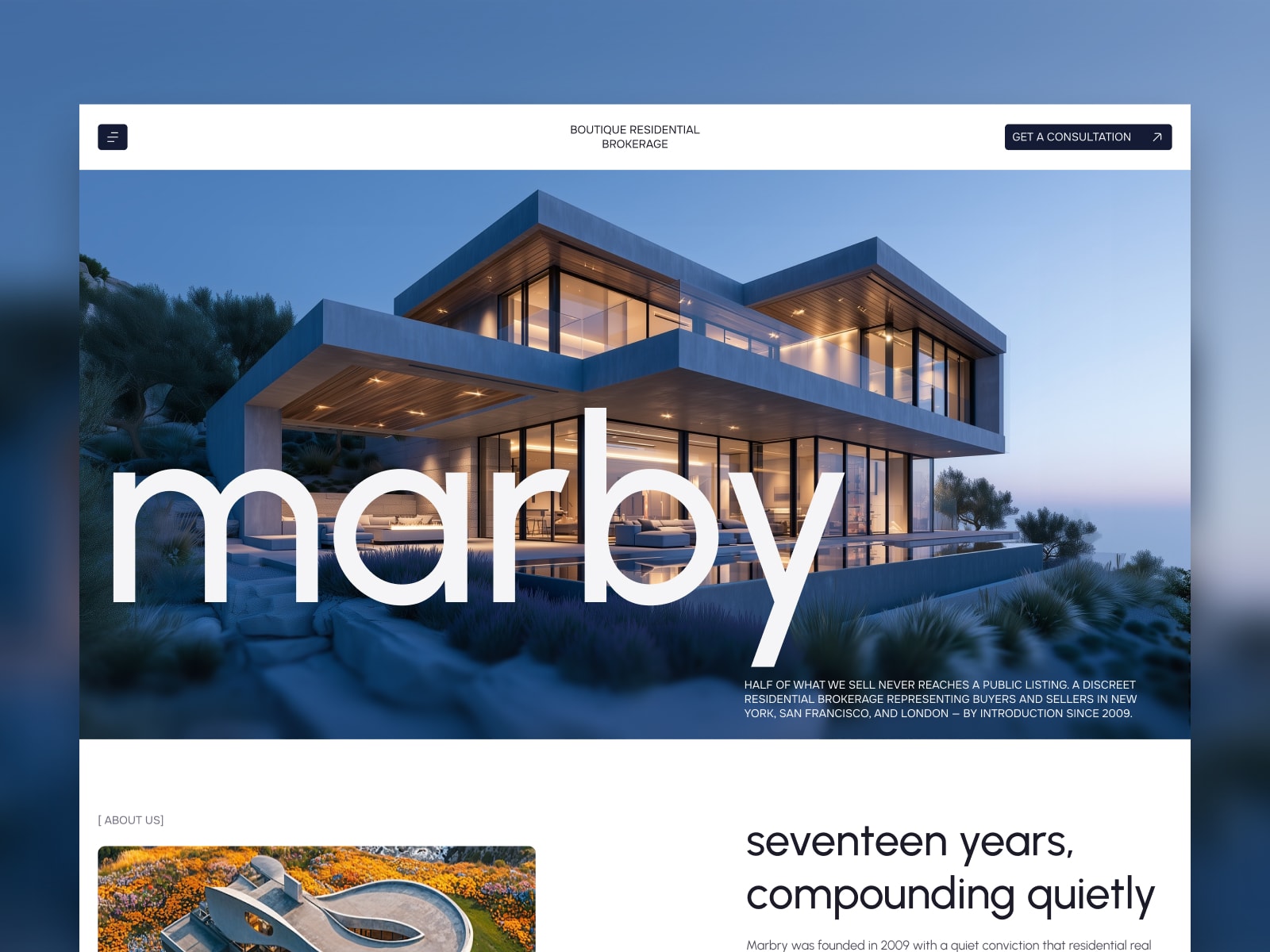
Marby template preview. The brand and content shown are for demonstration.
Start with one real listing
Before choosing new colors, put one of your properties into the template. Use its actual photography and description, and check how the page handles the amount of information you need to publish.
Marby’s Properties collection includes room galleries, price, bedrooms and bathrooms, area, location, and a per-listing FAQ. Those entries feed a shared property-page layout. The template also includes a filterable listings index and category collections.
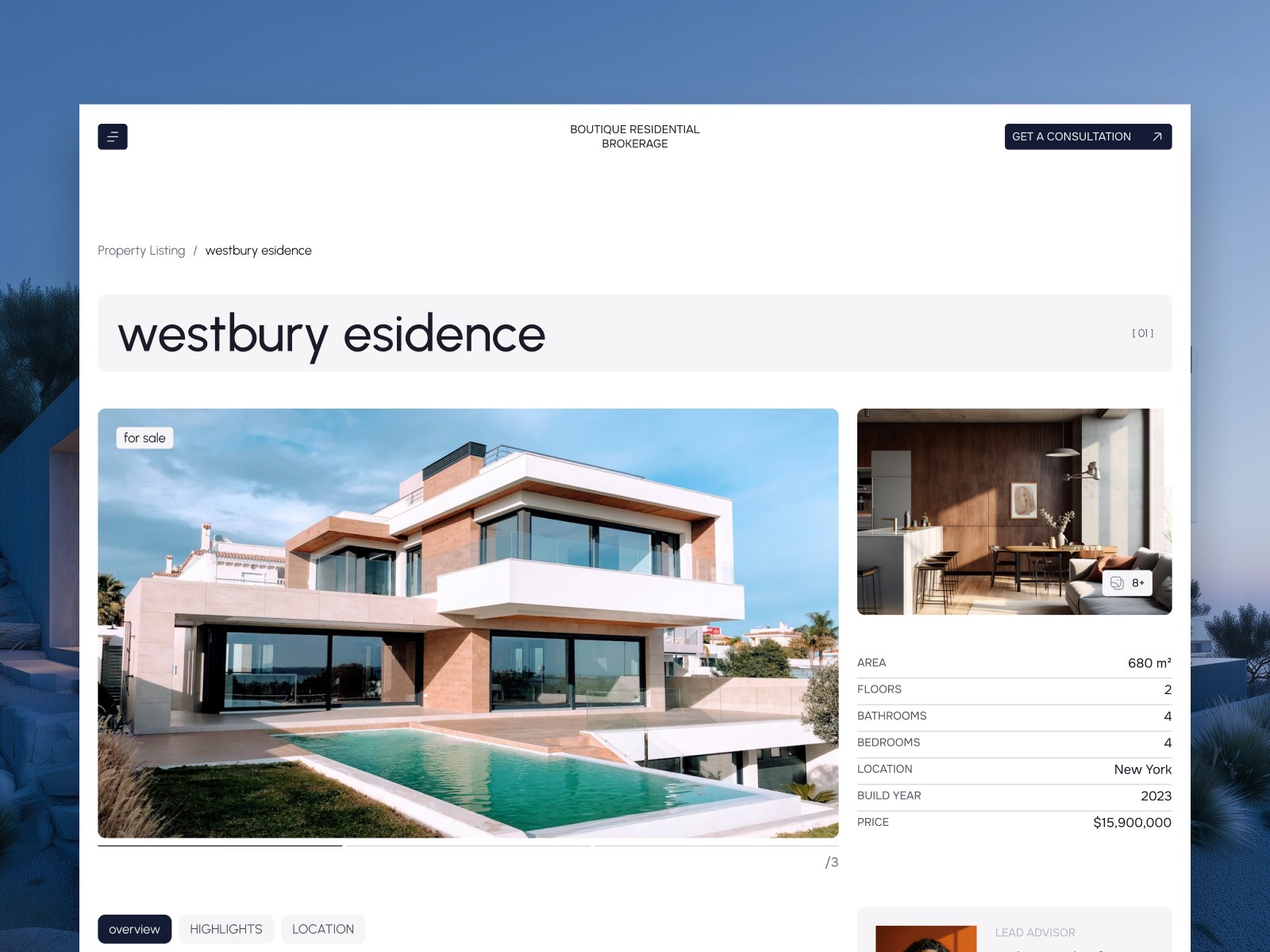
A Marby demo listing combines a gallery with property details. Listing information and photographs are sample content.
A complete test listing will tell you more than the homepage preview. Check a long property name, a detailed description, a short gallery, and any fields that do not apply to your inventory. Adjust the layout or content rules before adding the remaining properties.
Keep practical details close to the photography
Marby’s large images suit architecture-led listings. The gallery includes a lightbox so visitors can inspect photographs more closely. The property details still need to answer practical questions without making someone search for them.
Use consistent units for area, clear price labels, and location information appropriate to the listing. Give photographs a useful order. If a room or feature needs an explanation, add one rather than expecting the image to communicate everything.
The per-property FAQ can cover details that vary between listings, such as how to arrange a viewing or where to ask about a specific feature. Keep general brokerage questions elsewhere so you do not have to correct the same answer across many properties.
Decide how listings will enter the CMS
The included workflow lets you manage properties as CMS entries. Each listing uses the shared design, so you can edit its information without creating a new layout.
If you need an MLS or IDX feed, CRM synchronization, or another automatic import, check that requirement before choosing a template. Do not assume the presence of a property CMS means your external system is connected. Confirm the integration and its ongoing costs separately.
The same applies to enquiries. Marby includes a contact page with a form; you need to configure where submissions go and test the route your team will use to respond.
Give the brokerage its own pages
The template includes nine pages, covering the homepage, about content, listings, property details, a CMS blog, contact, terms, and a 404. The about page has room for the team and its story. Use it to explain who handles enquiries and the locations or types of property you work with.
The separate Articles collection gives you a place for useful local or property information. Publish articles you can maintain accurately; there is no need to fill a blog with generic market commentary to make the site feel complete.
Before launch, review every demo listing, team profile, contact detail, and form. Check the listing pages on a phone, particularly galleries and specifications. Then walk through an enquiry as a prospective buyer would.
You can explore the Marby demo or get the free Framer template. For help replacing its content and visual styles, use our AI customization guide.
References