Guide
·
Sep 14, 2026
What to put on a pre-order landing page
A product film can get someone interested. Specifications, pricing, and a clear reservation process help them decide what to do next. A practical guide using Mote.

Written by

Before someone reserves a physical product, they need to understand what it does, what they will receive, and what happens after they submit their details. A close-up render helps them picture the object. The rest of the page has to explain the offer.
We built Mote, our Framer template for hardware and physical-product launches, around that sequence. It combines a product-led landing page with a separate reservation page. The template is suited to a focused launch: a wearable, an audio product, a design object, or a limited run with a small number of purchase options.
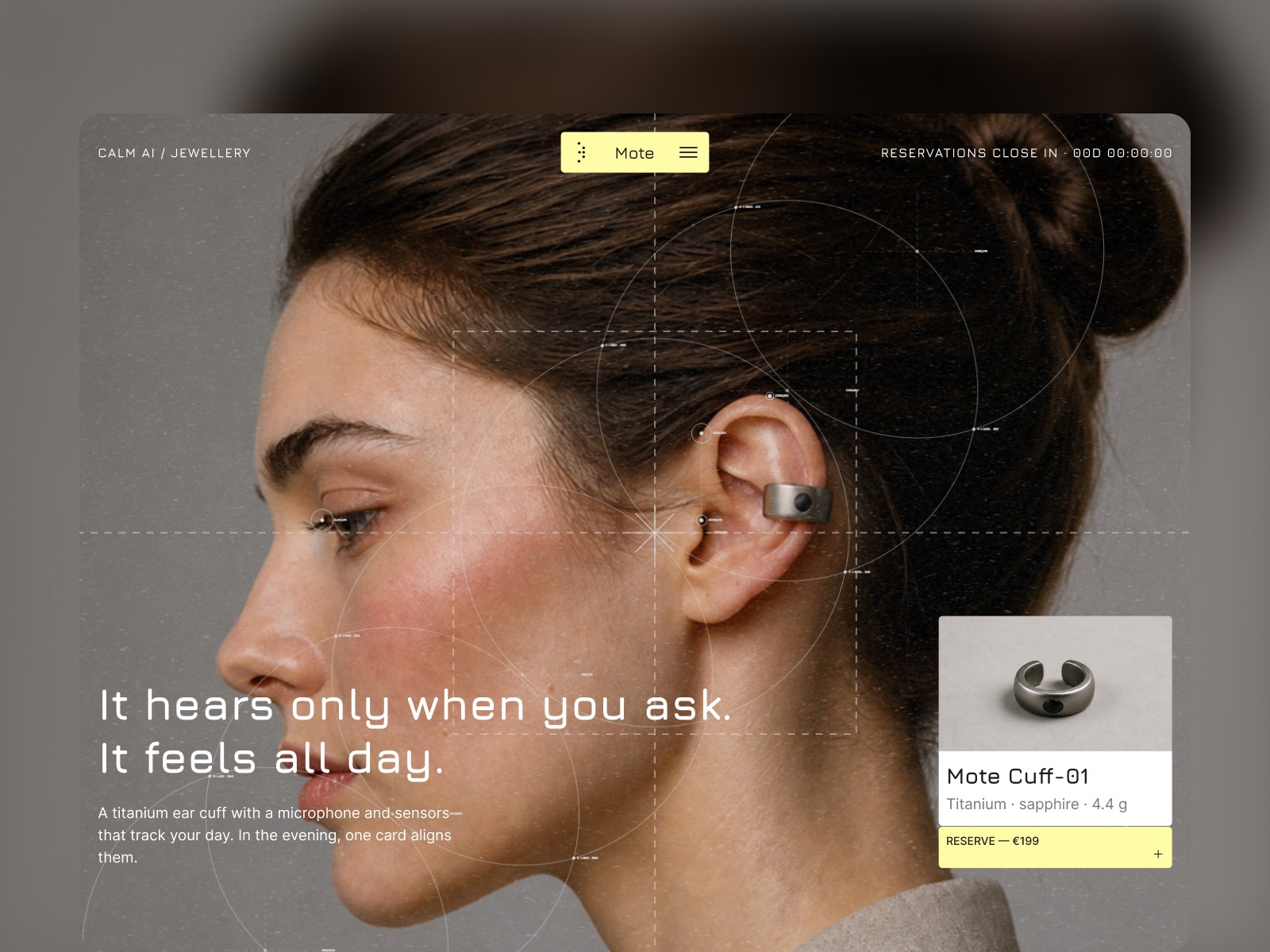
Mote template preview. The brand and content shown are for demonstration.
Give the product film a specific job
Mote includes a product film controlled by scrolling, with a technical overlay for specifications. Use that space to show something a still image cannot explain well: how the object opens, where a control sits, or what happens when someone uses it.
Prepare the copy and media together. If a section describes a physical detail, show that detail while the reader encounters the explanation. Keep the essential information in readable text too, so a visitor can understand the product without watching the entire sequence.
The template also includes a four-step story, a metrics section, and space for specifications. Choose facts you can support. Prototype targets, tested results, and final production specifications need different labels; the demo’s numbers are sample content.
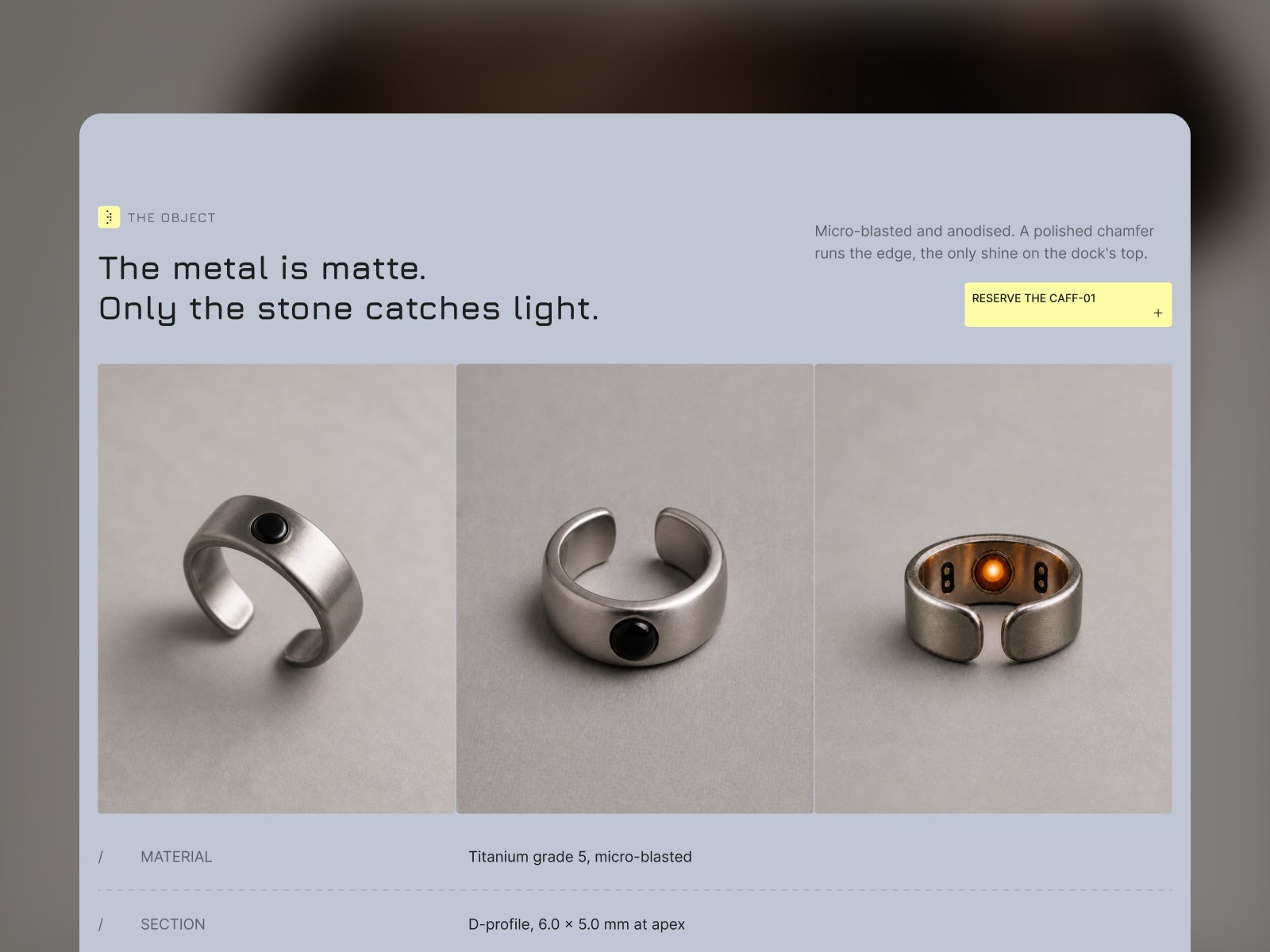
The Mote demo pairs product close-ups with specifications. Replace the demonstration product and specifications with your own.
Make the reservation terms easy to find
The two-option pricing table gives you room to explain a base product and a bundle, or two versions of the same object. State what each option includes and why someone would choose it. Replace the demo prices with your own.
Then answer the questions a reservation creates. Is the visitor joining a list, reserving without payment, or placing a paid pre-order? When will you contact them? Is there a confirmed shipping estimate? Put those answers near the action and in the FAQ where useful.
Mote includes a countdown component. Use it when reservations have a real closing date, and update or remove it when that date passes. A deadline needs to describe how your launch works.
Connect the form before sending traffic
Mote’s reservation page includes a form and an order summary. The reservation form does not collect payment. If your launch requires a deposit or a paid pre-order, you need to connect a payment service and test that process separately.
Set up the form destination, submit a test reservation, and check what arrives in your inbox or connected service. Review the confirmation message as well: someone who has reserved should know what happens next.
The included pages are static, so Mote does not require a CMS plan for its content. It includes the homepage, reservation page, terms page, and a styled 404, with layouts for desktop, tablet, and phone. You still need to configure your own forms, payments where needed, analytics, and business details.
Adapt the demo to your launch
Start with your product media, specifications, offer, and reservation process. Then adjust the shared colors and text styles. Check the finished page on a phone, including the film, pricing options, and form; the desktop version alone will not tell you whether your replacement content fits.
Mote is a demonstration brand. Its product claims and sample customer quotes are not evidence for your product. Use your own material, and remove sections you cannot fill accurately.
You can try the Mote demo and review the template details and current purchase options. If you want help adapting the Framer project, follow our AI customization guide.
References