Guide
·
Sep 14, 2026
How to explain an AI product on your website
An AI product website needs to show what the product does in a real workflow. A guide to adapting Parley's workflow, pricing, blog, and waitlist pages.

Written by

“An AI assistant for your team” leaves a visitor with a lot to work out. Which task does it handle? What does someone give it? What comes back, and when does a person need to review the result?
Start your website copy with a workflow you can demonstrate. Parley, our free AI SaaS and AI agent Framer template, gives you pages for explaining those workflows, presenting pricing, and collecting interest. Its warm illustrations and editorial layout offer a starting point for teams that want a less technical-looking product site.
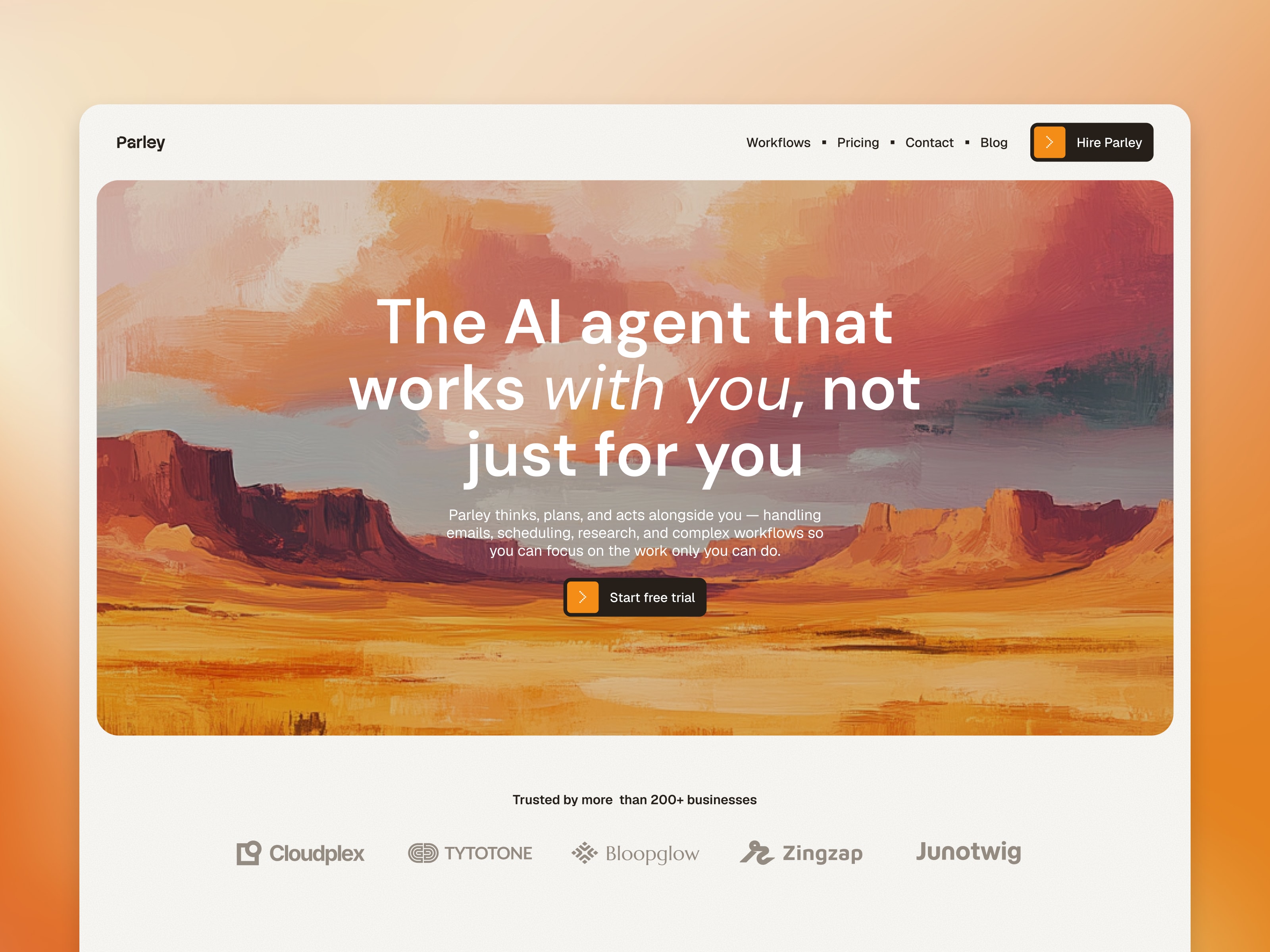
Parley template preview. The brand and content shown are for demonstration.
Show a task from input to result
Choose one useful job your product performs. Describe the input, the action, and the result in language a prospective customer would use. A sales assistant might prepare a call brief from approved account information. An internal search tool might help someone find an answer in company documents. Use an example your own product can support.
Parley includes a workflows page and room on the homepage to explain the product. Give those sections different levels of detail. The homepage can introduce the job; the workflow page can show the steps, required connections, and points where a person stays involved.
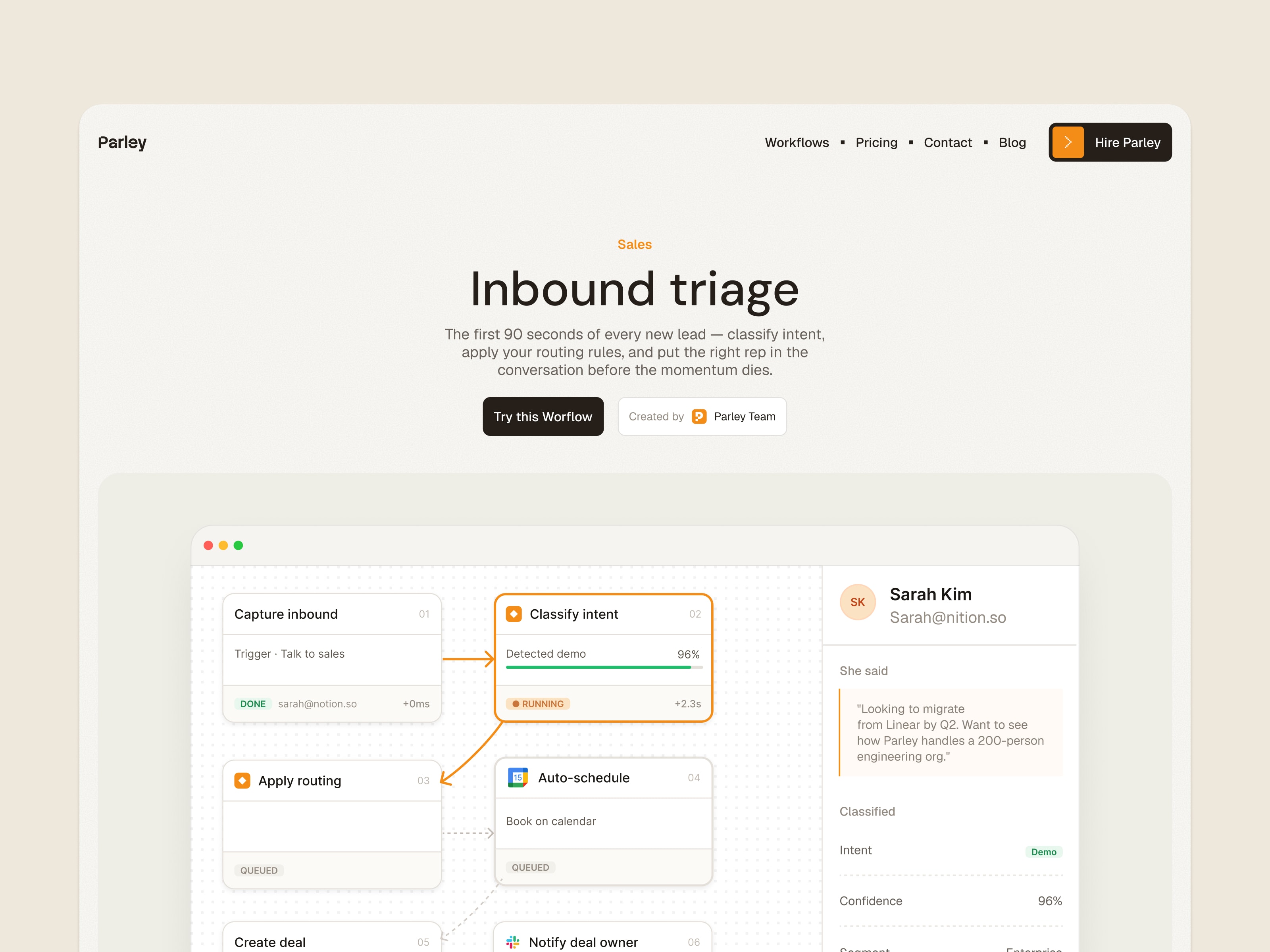
Parley’s sample workflow page shows how to explain a process. The diagram demonstrates the website layout, not a working product integration.
Screenshots and examples should come from your product. Label any simulated output, and state limits that affect how a customer would use it. Avoid promising a result the demo alone cannot establish.
Make pricing understandable before someone signs up
The template includes pricing tiers and a usage calculator. Adapt both to the way you charge. If customers pay per seat, per task, or by a usage allowance, explain the unit and what happens when they reach the limit.
Check the calculator against your own pricing rules before putting it in front of customers. A component in a website template does not know your billing model. Its labels, values, and calculation need to agree with the offer you sell.
Choose a primary action that matches the product’s stage. A waitlist fits a product that is not open yet. A trial or demo link should lead to the relevant process. Remove competing actions that you are not ready to support.
Treat integrations as factual claims
Parley includes an integrations showcase. Use it for services your product supports, and explain what the connection allows a customer to do. A logo without that explanation leaves the visitor guessing about the scope of the integration.
The template is a marketing website with a demonstration brand. Its integration section does not connect your application to the services pictured, and its waitlist form does not create an account in your product. Configure your own destinations, analytics, and services before launch, then test each route.
Use the blog when you have something useful to explain
Parley includes eleven pages, with workflows, pricing, a CMS blog, contact, waitlist, legal pages, and a 404 among them. The blog supports categories and article pages.
That gives you a place to publish setup instructions, worked examples, or answers to questions that need more space than the homepage. Start with material a prospective customer would need to try the product. You can add articles as those questions arise.
Shared styles and reusable components let you change the visual design in Framer. First replace the product claims, workflow examples, prices, and destination links. Then review the finished pages on desktop, tablet, and phone, including a test submission through the waitlist or contact form.
Open the Parley demo to inspect the page set, or get the free template. If you are comparing broader business-software sites, our B2B SaaS template guide covers Sunbeam’s approach.
References